Audit Logs, Custom Autoscaling, Persistence for the Grafana Add-on, GPU Jobs, and Improved Deployments


As we wrap up the year, we're excited to share some updates that enhance security, performance, and developer experience.
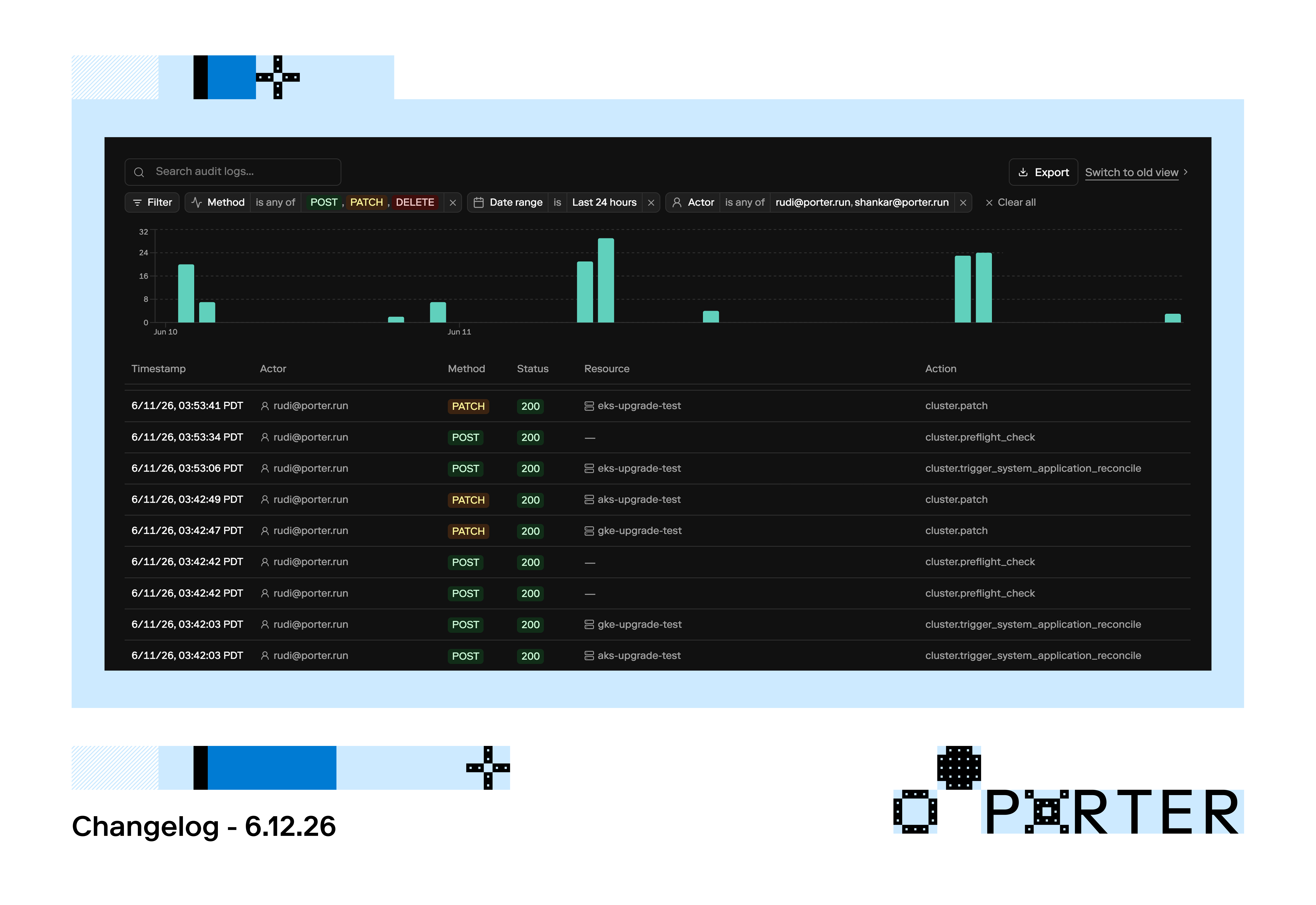
Audit Logs
Porter admin users can now view audit logs for changes made by users and the Porter team under the Project Settings sidebar tab.

Custom Autoscaling
Users can now self-serve autoscaling based on custom metrics, like Sidekiq queue length. Let us know if you’d like this feature enabled for your project!

First, configure the metrics exporter under the Advanced tab, specifying the host and the path. Once the user's application exporting the metric is deployed, that metric will be available for selection. More information can be found in our docs here.
Spot Instances for GCP
Spot instances are now available when selecting a node group to deploy to on GCP.
Spot instances are not recommended for production applications as they can be interrupted based on availability by GCP.
Persistence for Grafana on AWS
We’ve added the ability to configure persistence through RDS storage for the Grafana add-on when hosted on AWS. This allows for significant cost savings compared to Datadog, without sacrificing the reliability of your metrics.
GPU Jobs
You can now schedule jobs on GPU instances. This is available across AWS/Azure/GCP.
Improved Deployments
- Rebuilding is no longer required if a pre-deploy fails!
- When configuring resource allocation for your applications, you can utilize input fields in addition to the sliders.
- Users can now preview and confirm app configuration changes before hitting deploy.